Hello World!
Welcome to the first Early Warning System (EWS) for Bitcoin
🌟 First Words
Hello and welcome to Bitcoin PeakDip!
This is the first article in your journey to explore and master the Bitcoin market with our Early Warning System.
This article was published to test our new notification and badge system!
🎯 Purpose of This Article
This article was created with 3 main objectives:
- Welcome new members to the Bitcoin PeakDip community
- Test the new notification and badge system
- Guide you on how to receive notifications when new articles are published
📱 How to Receive Notifications
To never miss any new articles, follow these simple steps:
Enable Notifications
Click the button in the bottom-right corner and select "Allow" when prompted by your browser
Watch the Badge
The number displayed on the icon indicates how many new articles you haven't read yet
Read and Bookmark
After reading an article, the badge will automatically decrease. You can also save articles to your Reading List to read later
🚀 Get Started Today
Our Early Warning System will help you:
- Early detection of Peak Zones and Dip Zones in Bitcoin
- Market noise filtering with 98% denoising efficiency technology
- Strategy activation based on EWS signals
📲 Installing Bitcoin PeakDip App
Bitcoin PeakDip can function as a standalone application on your phone! Install it to receive instant notifications and quick access.
🍏 iOS Installation (iPhone/iPad)
Open the Safari browser (required) and go to bitcoinpeakdip.com
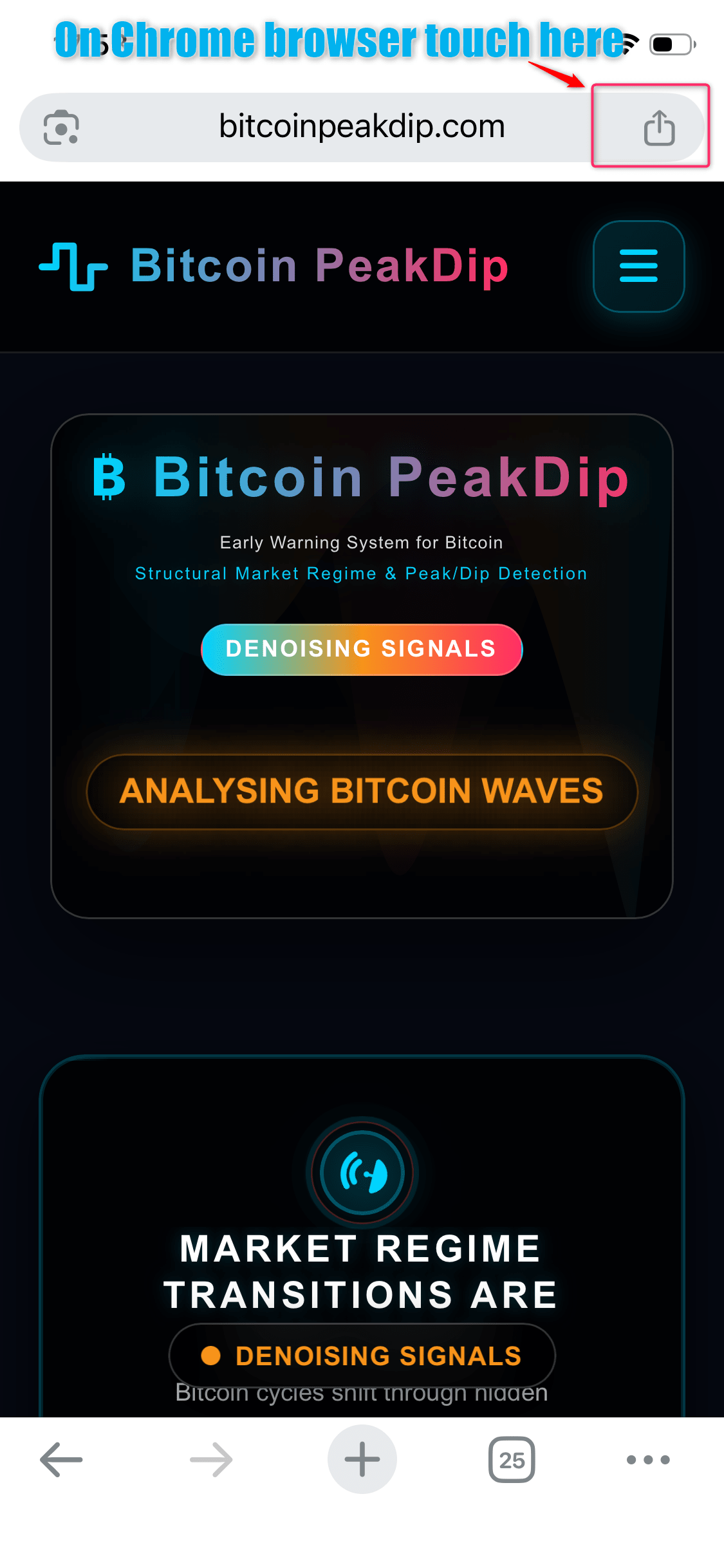
Open Safari and go to Bitcoin PeakDip homepage
Tap the Share button at the bottom of the screen, then select Add to Home Screen.
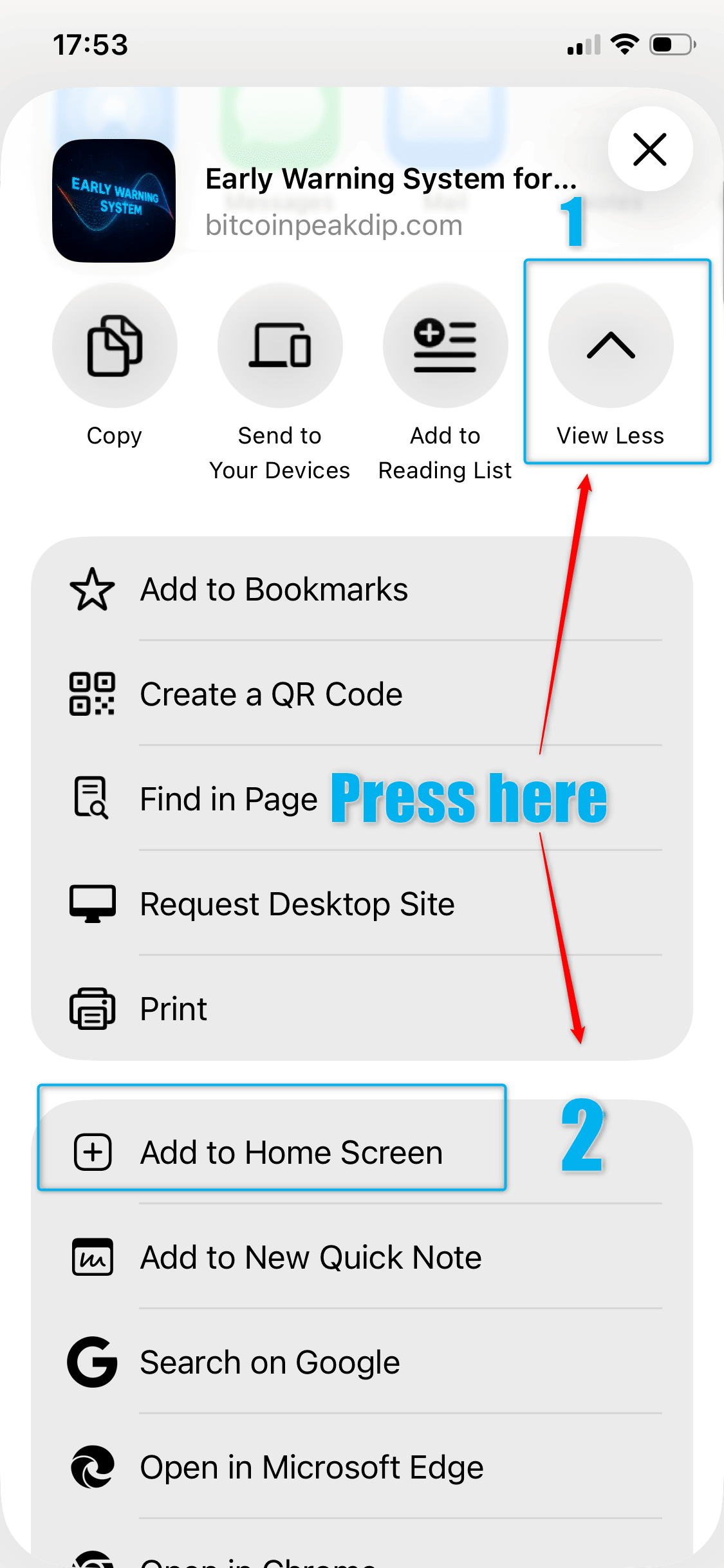
Select "Add to Home Screen" from the share menu
Review the app name (you can change it if desired), then tap Add. The Bitcoin PeakDip icon will appear on your home screen.
🤖 Android Installation
Open the Chrome browser (recommended) and go to bitcoinpeakdip.com
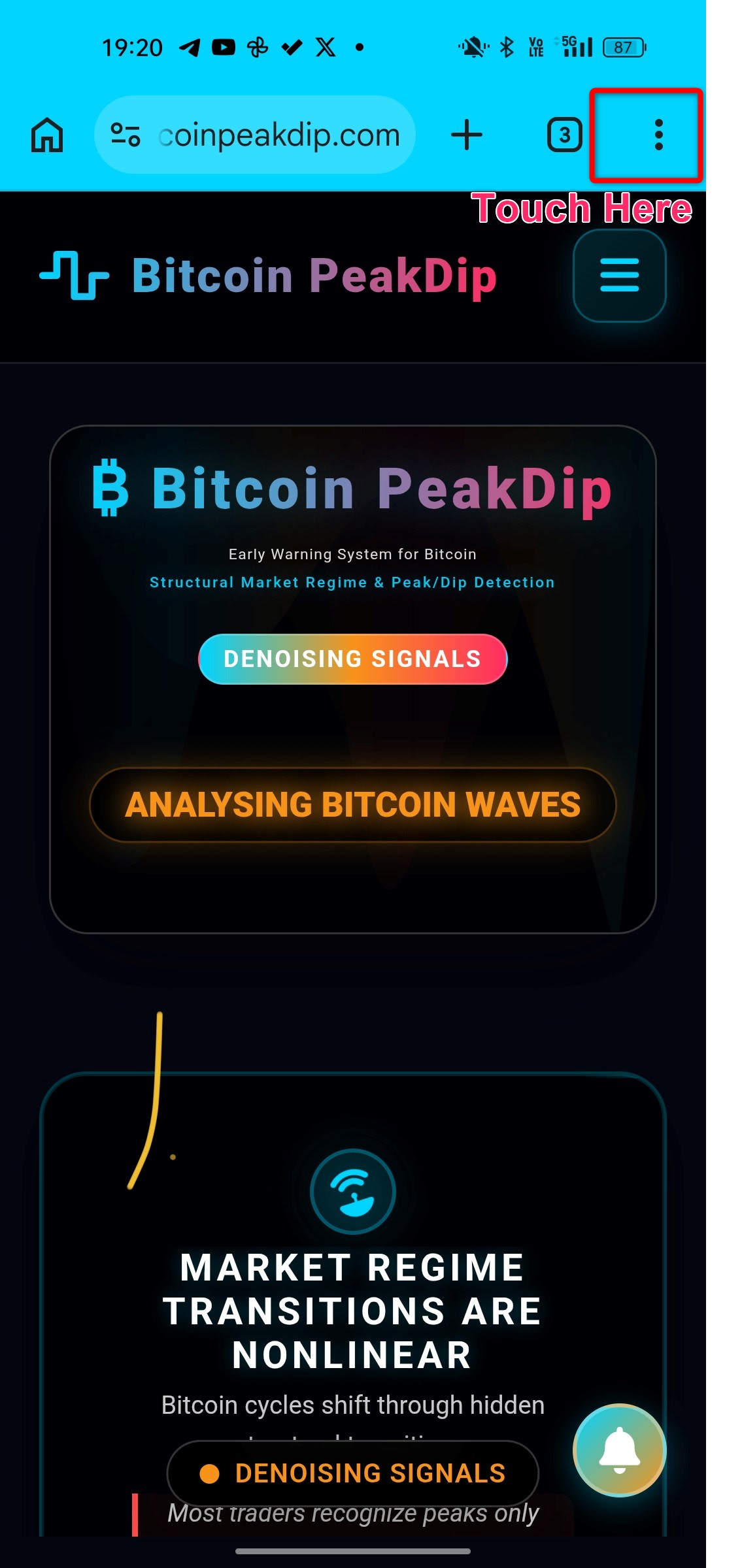
Open Chrome and go to Bitcoin PeakDip homepage
Tap the menu icon (three dots) in the top corner, then select Install App.
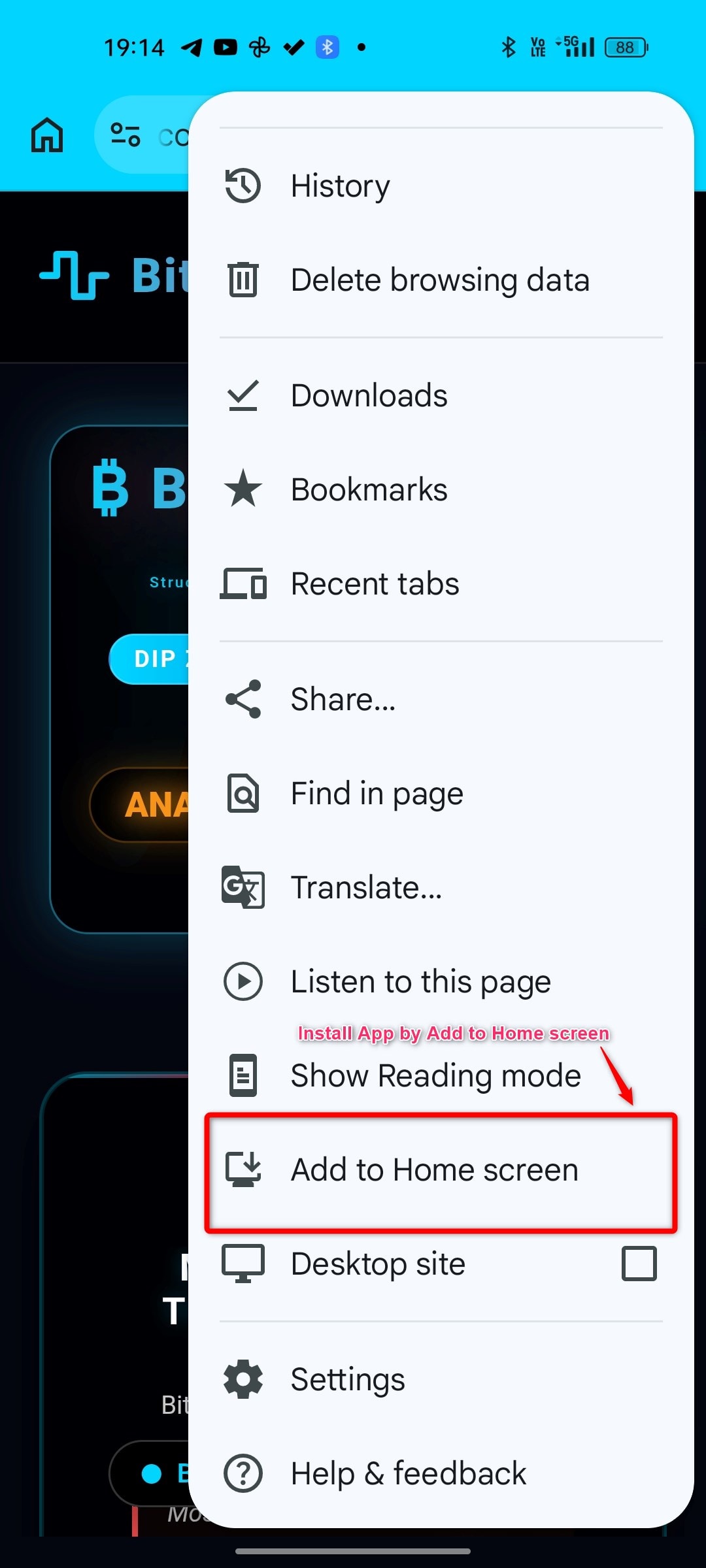
Select "Install App" from the menu
Confirm installation, and the app will be added to your home screen and app drawer.
✨ Benefits of Installing the App
| Feature | Benefit |
|---|---|
| Push Notifications | Receive instant alerts when new EWS signals are available |
| Quick Access | Open the app with a single tap from your home screen |
| Native Experience | Fullscreen interface without browser address bar |
| Offline Support | Access some content even without an internet connection |
📚 Next Steps
After reading this article, you can:
- Explore the Product Suite to understand the 8 trading strategies
- View EWS Signals to track real-time signals
- Read more articles in the Knowledge Base to enhance your knowledge
Join Our Community
Connect with other traders and receive the earliest EWS signal notifications